

You’re likely here because you heard the news: Atlassian ended new sales for OpsGenie on June 4, 2025, with a complete shutdown scheduled for April 2027.
For years, OpsGenie has been the backbone of on-call management for countless teams. It might have been your team’s trusted solution too. But now, that chapter is closing.
The pressure to find an OpsGenie alternative for on-call is real. However, you can’t just pick any tool and hope it works for your team.
You need an OpsGenie alternative for on-call management that your team can adapt quickly. Something familiar enough that you won’t spend weeks training everyone on the tool.
To help, I’ve put together this list of 6 OpsGenie alternatives for on-call management.
This isn’t just another listicle. I personally signed up for and tested these tools. I evaluated them on how similar and different/better they are to OpsGenie in terms of on-call schedule creation, on-call flexibility, dashboard & visibility, and override functionality.
My goal is simple: To help you find an on-call tool that feels familiar but also works better than OpsGenie.
Let’s find your new on-call solution.
Table of Contents
6 OpsGenie Alternatives for On-Call Management
Comparison Table
| Tool | What’s Similar to OpsGenie | What’s Different/Better | Starting Price |
| Spike | – Familiar schedule creation flow – Ability to clone schedules – Cross-team visibility | – Side-by-side calendar preview – Override comments and history – Favorites for quick access | $7/user/month (50% off if you’re an OpsGenie user) |
| PagerDuty | – Step-by-step schedule setup – Layered rotations – Comprehensive dashboard view | – Copy layer configs across schedules – More granular timeline views – Lacks activity logs/override history | $25/user/month |
| Incident.io | – Simple schedule creation – Duplicate schedules from dashboard – Clear overview of who’s on-call | – Concurrent shifts for team pairing – Natural language for overrides – No central activity log | $19/month + $12/user/month |
| Splunk OnCall | – Team-specific schedules – Rotation-based (no layers) – Overview of all the overrides | – Dedicated overrides tab – Limited to only your team’s view – No calendar view on dashboard | $10/user/month |
| Zenduty | – Schedules nested within teams – Can duplicate entire schedules – History of past/scheduled overrides | – AI-assisted layer generation – Side-by-side calendar preview – No override comments or activity log | $6/user/month |
| Squadcast | – Rotation-based schedules – Clone/pause schedules from dashboard – Calendar interaction for overrides | – Preset rotation templates – “View Gaps” feature for coverage – No record of past overrides | $12/user/month |
1. Spike
Spike is a modern incident management platform with intuitive on-call scheduling designed for teams of all sizes. It focuses on simplicity without sacrificing the features you need for effective on-call management.
What’s Similar to OpsGenie
- Schedule creation follows a familiar flow where you add team members, pick rotation types (daily, weekly, custom), and set handoff times with clear calendar previews.
- You can clone entire schedules, edit existing rotations, and add new layers without disrupting your current setup.
- Spike’s dashboard shows all schedules (not just yours) with list and calendar views. This gives you the same cross-team visibility you’re used to in OpsGenie.
- Swapping shifts is easy and fast with a dedicated override button. Just like OpsGenie’s “Take on-call for an hour” feature, Spike provides you with Cooldown and Out of Office modes that automatically handle coverage when you need a break.
What’s Different/Better Than OpsGenie
Spike offers ready-to-use on-call templates that help you get started. Its live calendar sits right beside your settings, not at the bottom like in OpsGenie. This makes it easier to spot mistakes as you build schedules. You can see who’s on-call with Spike’s Raycast extenstion.
Spike also keeps a separate history for past overrides for better visibility. You can add comments to overrides for context and mark schedules as favorites for quick access. And you can trigger webhooks when on-call shifts change with automation plugins like running healthcare checks, granting and revoking database access to on-call responders, etc.
Starting Price: $7/user/month
Note: With OpsGenie shutting down, businesses are switching to Spike with 50% off. Learn more →
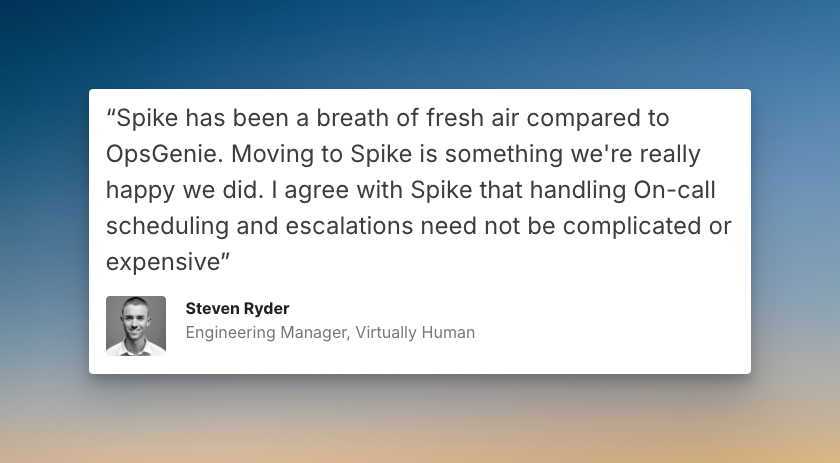
Hear what Steven Ryder, former Engineering Manager at Virtually Human, said about Spike after migrating from OpsGenie:
2. PagerDuty

PagerDuty is a veteran incident management platform. It offers on-call capabilities at a high price tag, mostly suitable for enterprise teams.
What’s Similar to OpsGenie
- Schedule creation uses a step-by-step process where you add users, set up rotations, and pick start times with a calendar preview at the bottom, much like OpsGenie.
- You can easily add new rotations or layers to existing schedules and export them to your personal calendar via iCal or webcal feeds.
- The dashboard provides comprehensive visibility with your on-call shifts, escalation policies, and all schedules displayed with multiple timeline views and calendar options.
- Creating overrides is straightforward. You can click a button or select a time slot directly on the calendar to make a quick shift change.
What’s Different/Better Than OpsGenie
PagerDuty allows you to copy layer configuration across schedules, which speeds up setup for complex teams. The platform offers more granular timeline views with options for 1 day, 4 days, 1 week, 2 weeks, and 30 days, so you can plan coverage in detail. However, you can’t clone entire schedules or favorite them for quick access, and there’s no activity log or override history.
To learn more, check out PagerDuty Review for On-Call Management
Starting Price: $25/user/month
3. Incident.io
Incident.io is an incident management platform that offers straightforward on-call scheduling with Slack-based workflows. It’s more suitable for teams who live in Slack.
What’s Similar to OpsGenie
- Schedule creation is simple: add a schedule name, timezone, rotation, responders, and handover time, with a calendar preview to check your setup.
- You can edit, duplicate, and delete schedules right from the dashboard, just like OpsGenie’s flexible approach to managing rotations.
- The dashboard lists all your schedules and shows who’s on-call now and who’s up next, giving you a clear overview of team coverage.
- Creating overrides is quick—use a button or click on the calendar, similar to OpsGenie’s override options.
What’s Different/Better Than OpsGenie
Incident.io offers concurrent shifts that let you pair multiple people on a shift for training or shared responsibility. You can import public holidays directly from HR software to avoid scheduling conflicts. The platform also supports natural language overrides—just type out your shift swap in natural language, and it works. However, there’s no activity log or override history that OpsGenie provides.
Starting Price: $19/month (base fee) + $12/user/month (on-call price)
4. Splunk OnCall

Splunk OnCall is an on-call management tool from Splunk. It offers deep integration with other Splunk products, making it suitable for those who are already invested in the Splunk ecosystem.
What’s Similar to OpsGenie
- Both platforms use team-specific schedules where you create rotations for individual teams rather than organization-wide schedules, giving you familiar team-based coverage.
- You have the flexibility to instantly add members, create new shifts, and edit existing ones, similar to how you would manage rotations in OpsGenie.
- The dashboard shows your team’s members, rotations, and escalation policies, giving you a focused view of your team’s on-call setup.
- Splunk OnCall has a dedicated overrides tab for creating and viewing scheduled overrides, similar to OpsGenie’s separate timeline view for overrides.
What’s Different/Better Than OpsGenie
Splunk OnCall makes it easy to see scheduled overrides in one place with its dedicated overrides tab. However, you can only see your own team’s schedule, which limits cross-team visibility compared to OpsGenie.
Starting Price: $10/user/month
5. Zenduty

Zenduty is an incident response platform that offers AI-assisted features for on-call scheduling, designed to help teams automate parts of their workflow.
What’s Similar to OpsGenie
- Like OpsGenie, schedule creation in Zenduty is nested within teams, requiring you to go to a specific team to build its on-call schedule.
- You can duplicate entire schedules to avoid rebuilding them, a time-saving feature also available in OpsGenie.
- The dashboard provides a team-based view where you can see the on-call schedules for each team, similar to the “Teams” tab in OpsGenie.
- Creating overrides is done through a dedicated button or by clicking on the calendar, and you can see a history of past and scheduled overrides.
What’s Different/Better Than OpsGenie
Zenduty offers a side-by-side calendar preview, which is more convenient than OpsGenie’s preview at the bottom. It also has a unique option to automatically adjust for daylight saving time and uses AI to help generate schedule layers. You also get a clear history of past and scheduled overrides. However, it lacks a central activity log. Plus, you can’t provide context for an override.
Starting Price: $6/user/month
6. Squadcast
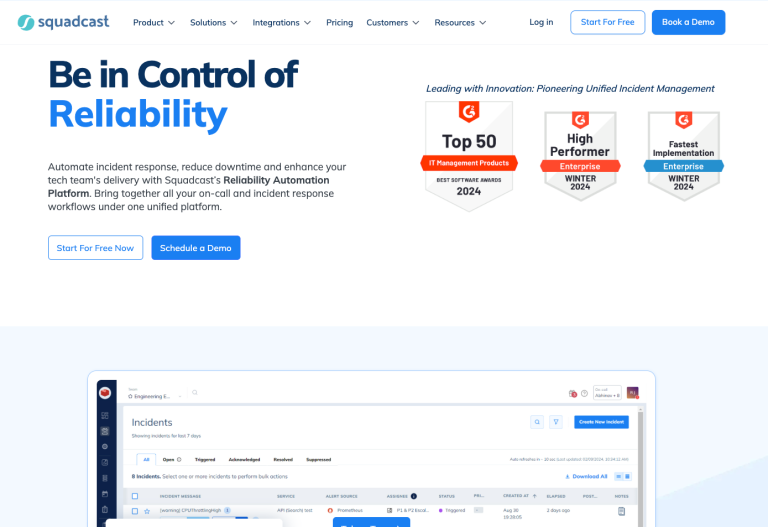
Squadcast is an incident management platform that makes on-call scheduling easy with preset rotation templates and coverage insights.
What’s Similar to OpsGenie
- Squadcast uses the same approach as OpsGenie—rotations instead of schedule layers. This keeps things familiar.
- You can clone, pause, and export schedules directly from the dashboard, giving you a similar level of flexibility for managing schedules.
- The dashboard lets you see schedules in list and timeline views, and you can collapse or expand schedules to see more details—much like OpsGenie.
- Creating an override is done through calendar interaction, and the changes are instantly visible on the schedule with a different color, similar to OpsGenie’s preview.
What’s Different/Better Than OpsGenie
Squadcast offers preset rotation patterns that work like templates, helping you set up common schedules quickly. Its unique “View Gaps” feature highlights uncovered on-call hours in red, making it easy to spot and fix coverage gaps. You can also filter schedules by owner or participant for better organization. However, it doesn’t keep a record of past overrides or a central activity log.
Starting Price: $12/user/month
Final Thoughts
Choosing your next on-call tool is an important decision. I hope this list of OpsGenie alternatives for on-call management helps you find the right fit for your team.
If Spike’s simple interface and useful features caught your eye, now is a great time to give it a try. We’re offering a special discount for teams moving from OpsGenie. You can get 50% off for your first year.
Ready to see how Spike can improve your on-call process?